Shop software for powersports and marine service
Run the whole shop from one simple screen.
Work orders, technicians, invoices and payments, built for the way service shops actually work, from the front counter to the back bay.
- Every feature included
- No card needed
- Sample data to try
- Personal watercraft
- Boats and outboards
- Pontoons
- ATVs
- Side-by-sides
- Snowmobiles
- Motorcycles
- Dirt bikes
How it works
From drop-off to paid, without the paperwork.
- 01
Check it in
Open a work order at the counter in seconds, or let customers send a request from your own link. Their machine, history and any balance owed are right there.
- 02
Do the work
Techs clock onto the job from their phone. When they clock out, their time and a note of what they did land on the work order as labor.
- 03
Get paid
Close the job and the invoice is ready with your state's sales tax applied. Customers pay online by card, Apple Pay, PayPal or Venmo, or at the counter.
Built for Powersports, by a Powersports shop.
RevWrench wasn't dreamed up in an office. It was made inside a working Powersports shop, and it runs that shop's counter every day.
Actively updated, with new features added as shops need them
- Used every day
- Check-ins, job clocks, invoices and payments, run for real at the counter and in the bay.
- Shaped by real jobs
- Winterization rushes, machines waiting on parts, and customers with a ski, a boat and a trailer on one ticket.
- Made for the way you work
- Built around how a service shop actually runs, not adapted from software for car dealers or retail.
At the counter
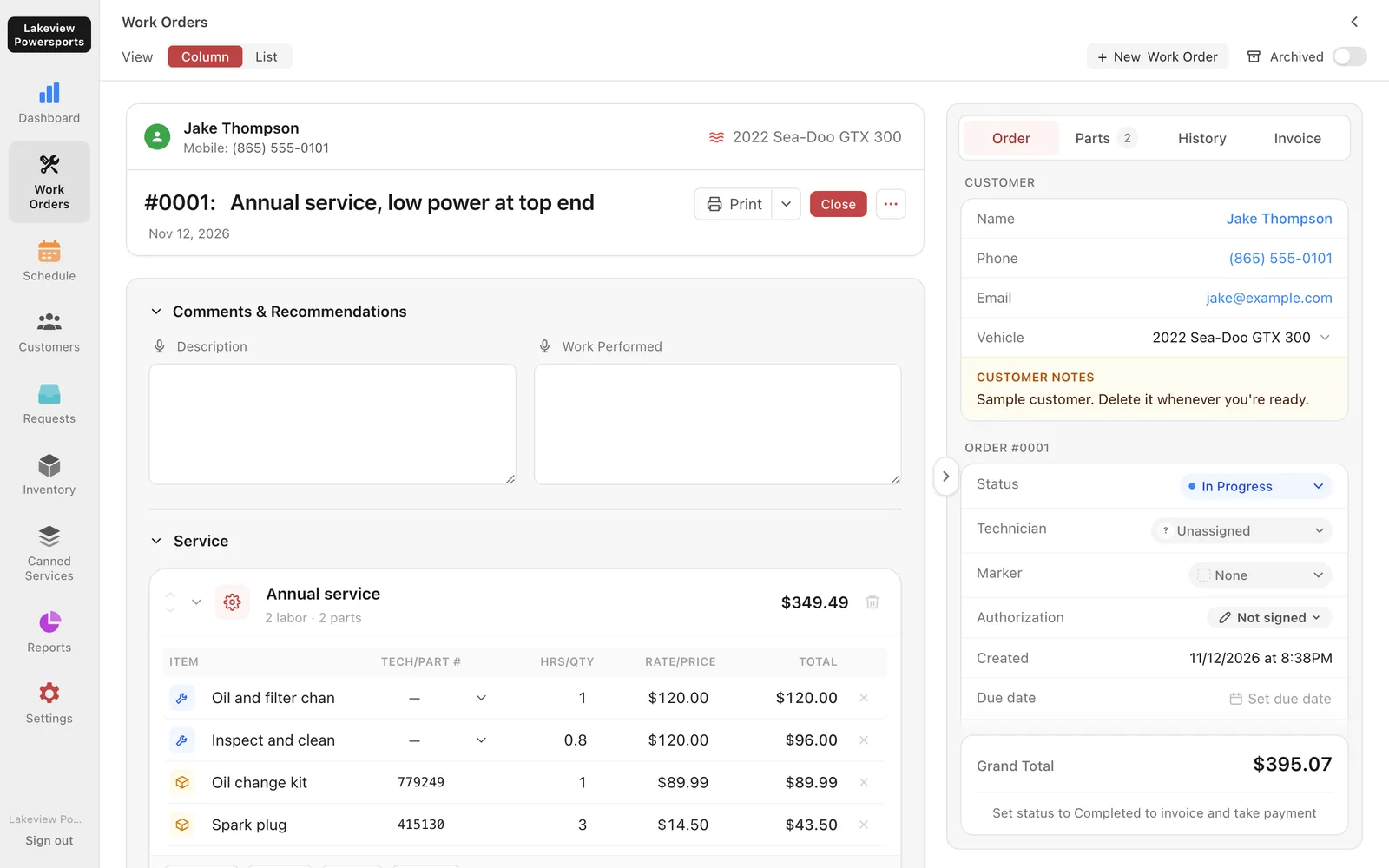
Every job on one board
See the whole shop at a glance, from drop-off to done, in columns you name yourself.
- Several machines on one ticket, each with its own services and photos
- Canned services for winterizations, oil changes and annual service
- Markers for urgent, on-hold or your own custom note
- Dictate notes instead of typing with greasy hands
On the shop floor
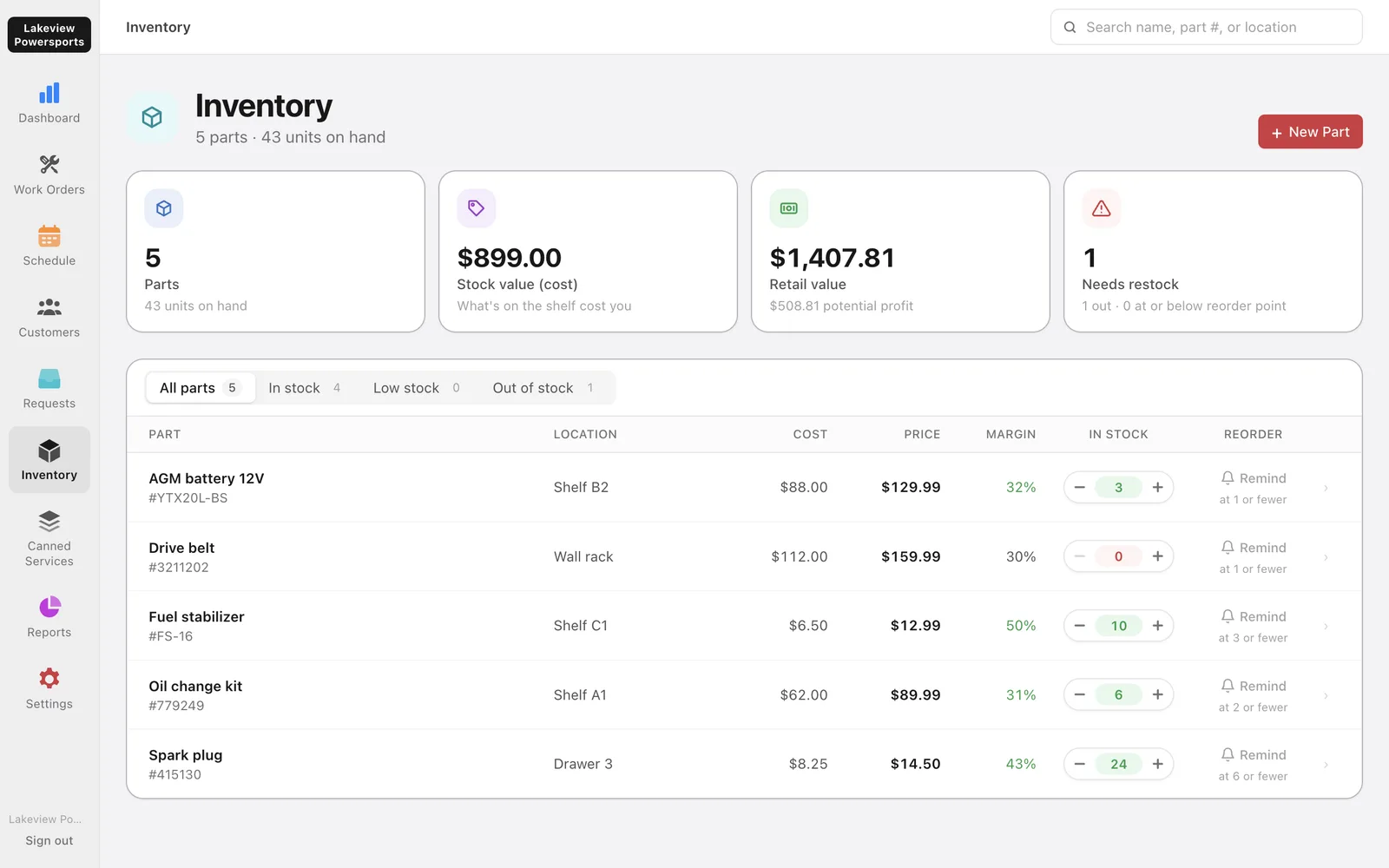
Techs, time and parts that keep up
Everyone gets their own login, and techs see their jobs without your reports or settings.
- Job clocks that turn time on the job into labor lines
- Assign jobs and labor lines to a technician
- Before, after and damage photos on the machine they belong to
- Parts come off the shelf as they go on a ticket, with low-stock reminders
Getting paid
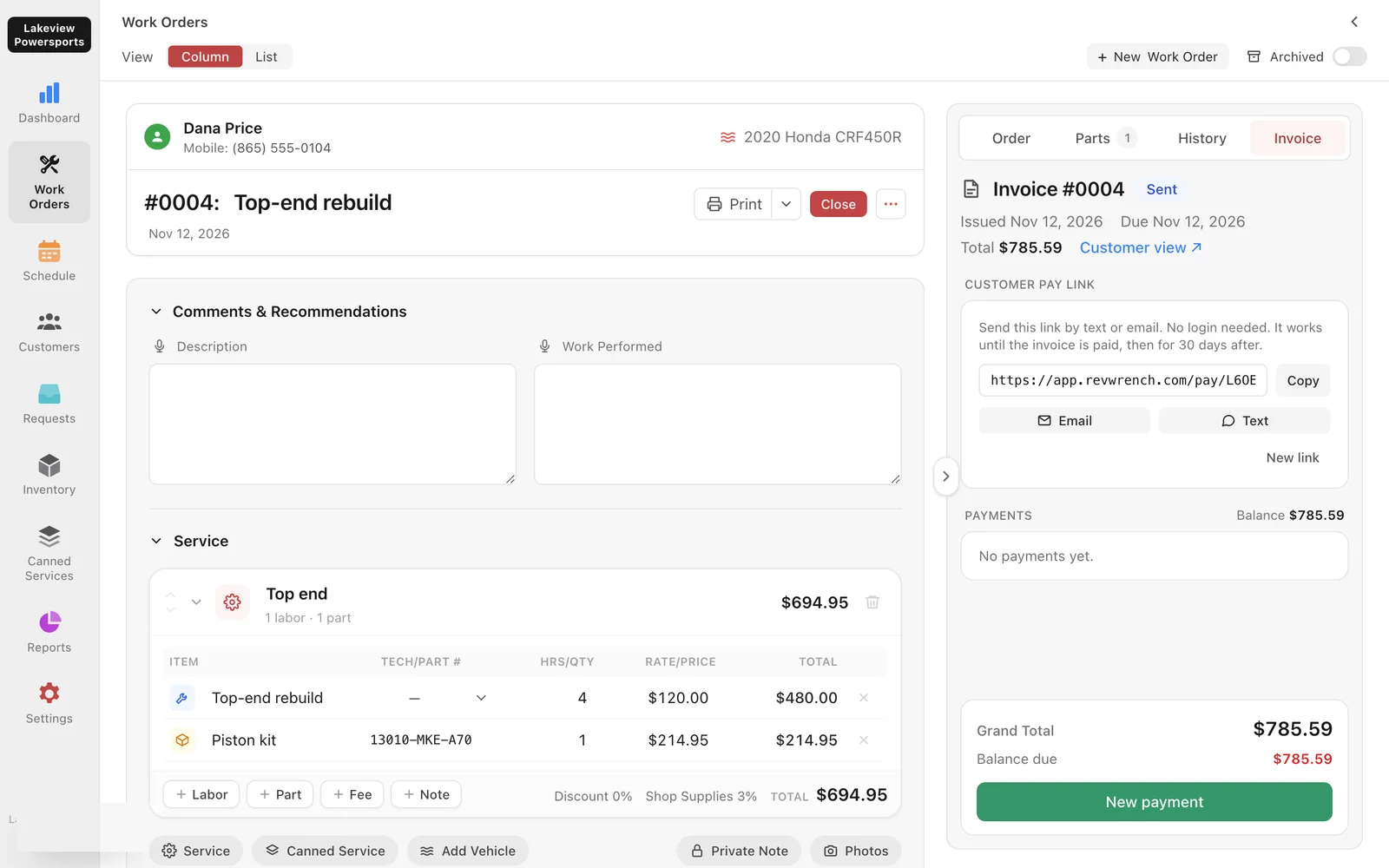
From estimate to paid in full
The invoice builds itself from the work order, so nothing gets left off.
- Estimates customers sign from a link before work starts
- Pay links for card, Apple Pay, PayPal and Venmo
- Partial payments, refunds, shop supplies and card fees
- Sales tax rules for all 50 states
In the office
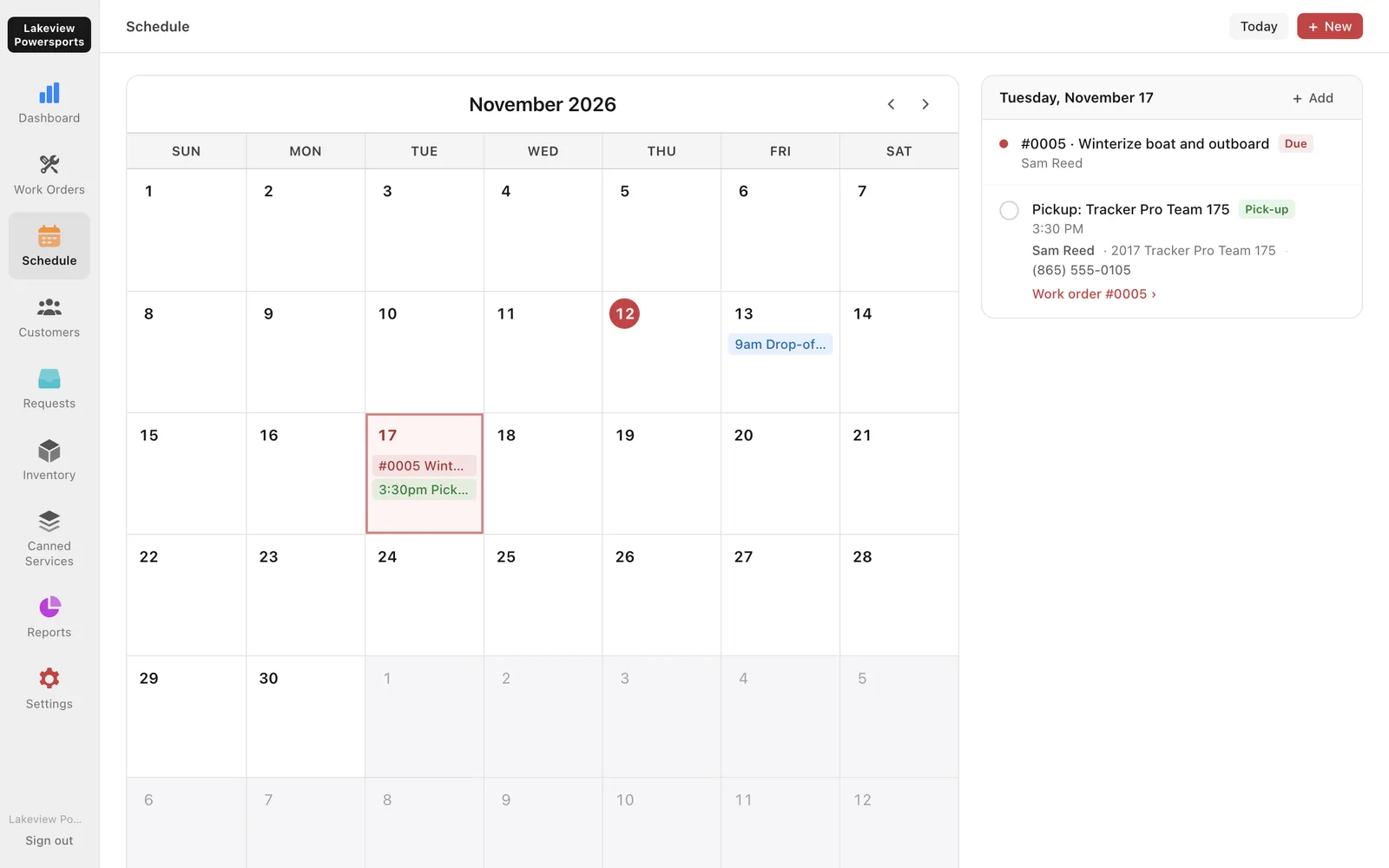
The schedule, reminders and reports
Know what's coming in, what's due, and how the month is going.
- Drop-offs, pickups and seasonal reminders on one calendar
- Revenue, profit and loss, customers and inventory reports
- A filled-in worksheet for your state's sales tax return
- CSV exports for your accountant
Your data
Your data is yours. Always.
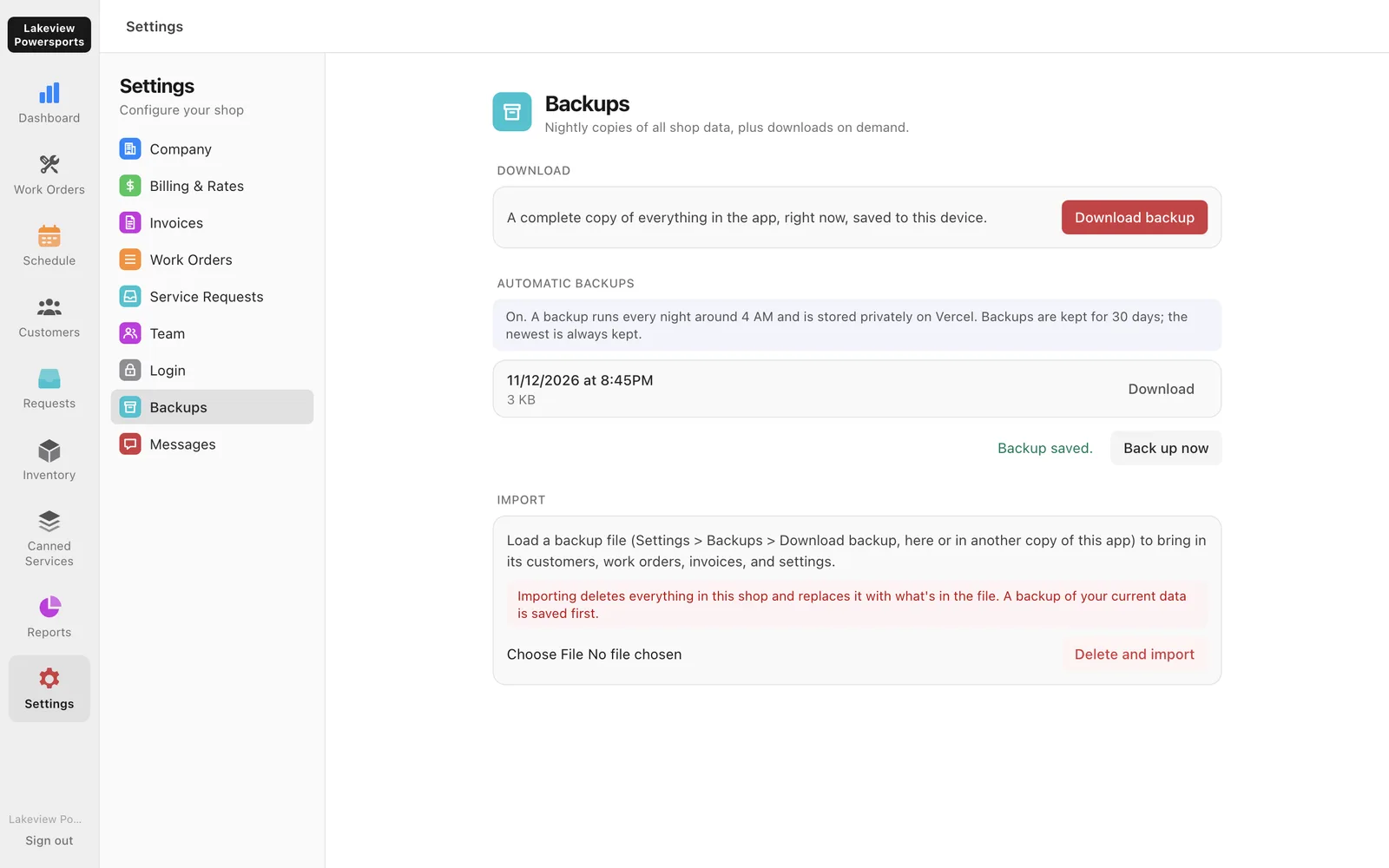
- Nightly backups
- A full copy of your shop saved every night, and a download any time.
- Bring your history
- Customers, machines and past work orders brought over from your old software.
- Private to your shop
- Every record is locked to your shop by the database itself.
- Nothing to install
- Runs in the browser on the counter computer, a tablet or a phone.
Pricing
One plan. Everything included.
No tiers and no add-ons. Every shop gets every feature from the first day.
- Work orders, customers and invoices
- Logins for owners, staff and technicians
- Online payments and signed estimates
- Inventory, schedule and reports
- Nightly backups and data export
- Help moving your history over
No card needed.
Questions
Something else? Sign in and send us a message from Settings.
How do I get started?
Sign-up opens soon. Once it does, your shop is ready right away, with sample customers and jobs to try things out that you can delete whenever you're ready.
What does it cost?
Pricing is coming soon. There's no card to enter to create your shop, and every shop gets every feature; there are no plans or add-ons.
Can I bring my history from my old software?
Yes. Customers, vehicles and past work orders can be imported from a spreadsheet export, and we can help move them over when you start.
Can I get my data out?
Any time. Settings > Backups downloads a complete copy of everything, and a backup is saved every night.
Does it handle sales tax?
It applies your state's sales tax rules to every invoice, and Reports fills in a worksheet for your sales tax return. Tax rules vary by state and locality, so verify your setup with your state and local sales and use tax office or your accountant. You can change the rate and what's taxed in Settings any time. Your accountant still files the return.
Does it do accounting?
No. There's no general ledger or payroll. It tracks what you sold, what it cost and what you're owed, with reports and CSV exports for your accountant.